
Sheetminer features
Extract data from PDFs, invoices, receipts and bank statements into Google Sheets, and trace every value back to its source document.
Traceable by design.
Every extracted value links back to its source document. Open the original file from the extracted cell and verify the source behind each number.
Source-Level Audit Trail
Every extracted value keeps a source reference, so you can open the original document and verify where the data came from.
Results in seconds
Skip the manual retyping. Sheetminer extracts values from PDFs and images in seconds, turning hours of data entry into minutes of review.
Cloud Native
Built for Google Sheets and Drive, so extraction, review, and source lookup fit the spreadsheet workflow your team already uses.
Extract, Snip, and Inspect sources all inside Google Sheets.
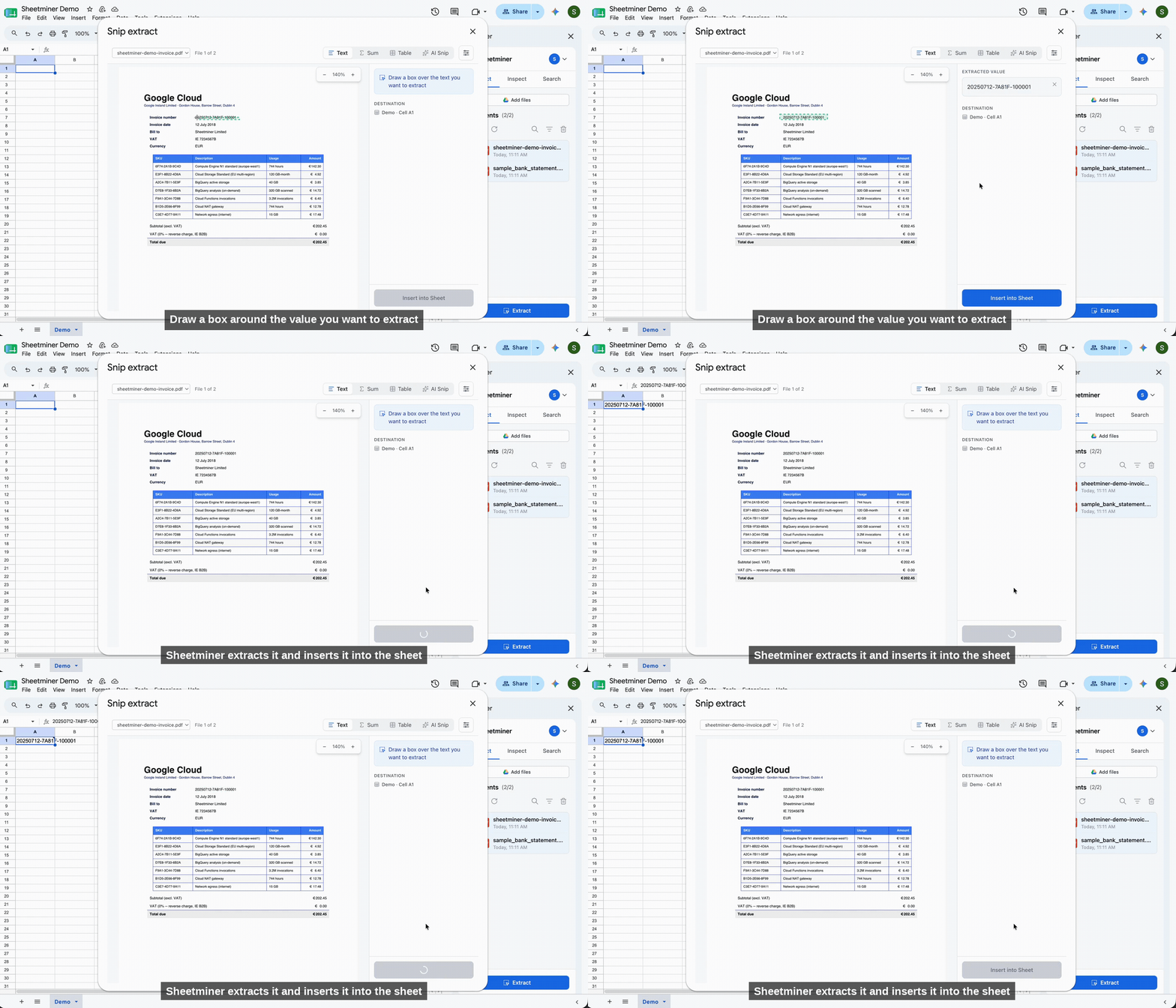
Draw a box around any value and drop it straight into a cell - with a link back to the source.
Built for common document workflows
Extraction for Finance, Tax, HR, and Legal teams working in Google Sheets.
Stop retyping data.
Extract values from documents in seconds directly into your spreadsheet - with a link back to every source.
Install for free